← Otto User GuideDynamic Island
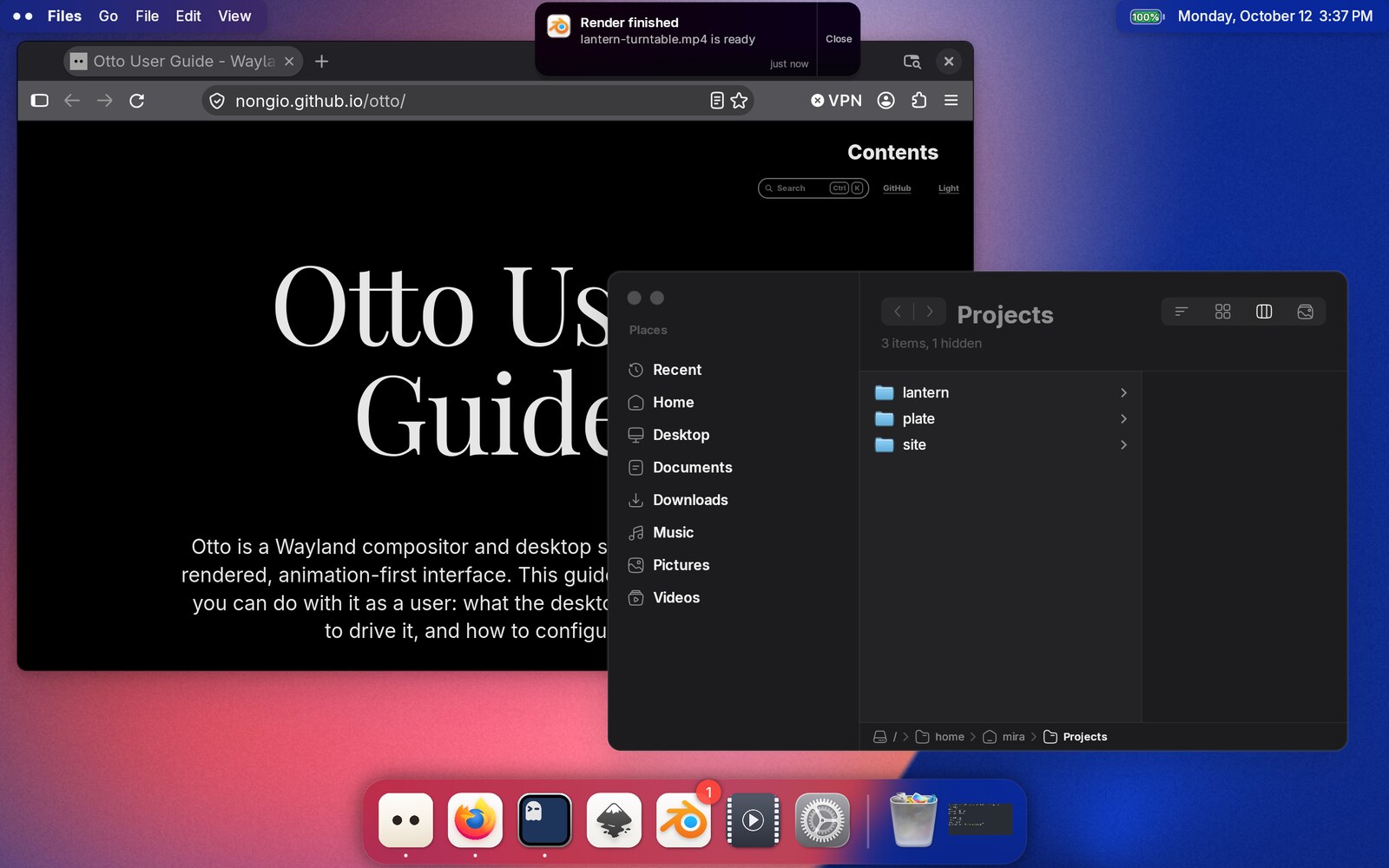
otto-islands draws the notification bubbles that appear at the top-centre of
the screen. It is Otto’s notification daemon, live-activity display and
permission-dialog surface, all in one morphing element.
What is Otto islands?
It is a separate program, not part of the compositor. The configuration Otto ships already starts it:
[[exec_once]]
cmd = "otto-islands"
args = []
Nothing else starts it. Note that a user config’s [[exec_once]] list
replaces the system one rather than adding to it, so if you write your own you
have to repeat this entry.
At rest
With nothing to show, the island draws nothing at all. The centre of the top bar stays empty and clicks pass straight through to whatever is behind it.
Notifications
Otto Islands implements the standard org.freedesktop.Notifications D-Bus
service, so it is a drop-in notification daemon: anything that sends a desktop
notification (notify-send, your mail client, a build script) shows up here.
Run only one notification daemon at a time. Starting otto-islands alongside
dunst or mako means whichever claims the bus name first wins. If
otto-islands loses the race it still runs, but no notifications reach it.
Try it:
notify-send "Build finished" "42 tests passed"
One bubble per notification
Each notification is its own bubble. Notifications from the same application are grouped visually (their bubbles overlap into a deck, newest at the front) rather than being merged into a single entry. Decks sit in a centred horizontal row ordered by arrival, oldest deck on the left.
Every bubble is in one of three modes:
| Mode | Looks like |
|---|---|
| Mini | A 28px circle with the app icon. There is no count badge; the bubbles peeking out behind it are the count. |
| Compact | A pill with the icon and that notification’s own title. |
| Expanded | The same bubble grown into a 300px card: icon, title, wrapped body, action buttons, elapsed time, and a Close zone on the right. |
What it does on its own
A new notification arrives expanded, so you can read it without clicking. It stays open for about six seconds and then settles back into its deck as a mini circle. Moving the pointer onto it holds it open, and an arrival never takes over a bubble you opened yourself. In that case it announces itself as a compact pill instead.
Only one bubble is compact and one expanded at a time, so a burst of notifications never turns the row into a wall of pills. After about four seconds without interaction, whatever is focused shrinks back to mini.
What you can do
Hovering a bubble grows it to compact and fans its app’s deck apart so you can aim at each one individually.
Clicking grows it: mini → compact → expanded. A click on an already-expanded bubble acts on the notification and dismisses it:
- the
Closezone on the right dismisses it; - an action button invokes that action and focuses the app;
- anywhere else invokes the notification’s default action.
There is no swipe or scroll gesture, and the bubbles have no keyboard interaction.
Notifications are also announced to screen readers as a live region, with urgent ones interrupting. See Accessibility.
Notifications stay until you deal with them
A notification’s timeout only stops it announcing itself — it settles into its deck rather than disappearing. An unread notification stays until you dismiss it or the sending application withdraws it.
Dock badges
Because otto-islands is the session’s notification daemon, it is also what
feeds the unread counts badged onto dock icons. The badge counts an
application’s outstanding notifications (including ones that have timed out,
since timing out is not reading) and clears with the last one. Counts above 99
read as 99+. Notifications marked transient never badge.
A notification that identifies itself no other way is attributed to the process that sent it, resolved through its executable name. That is why a notification forwarded by your terminal badges the terminal.
Live activities
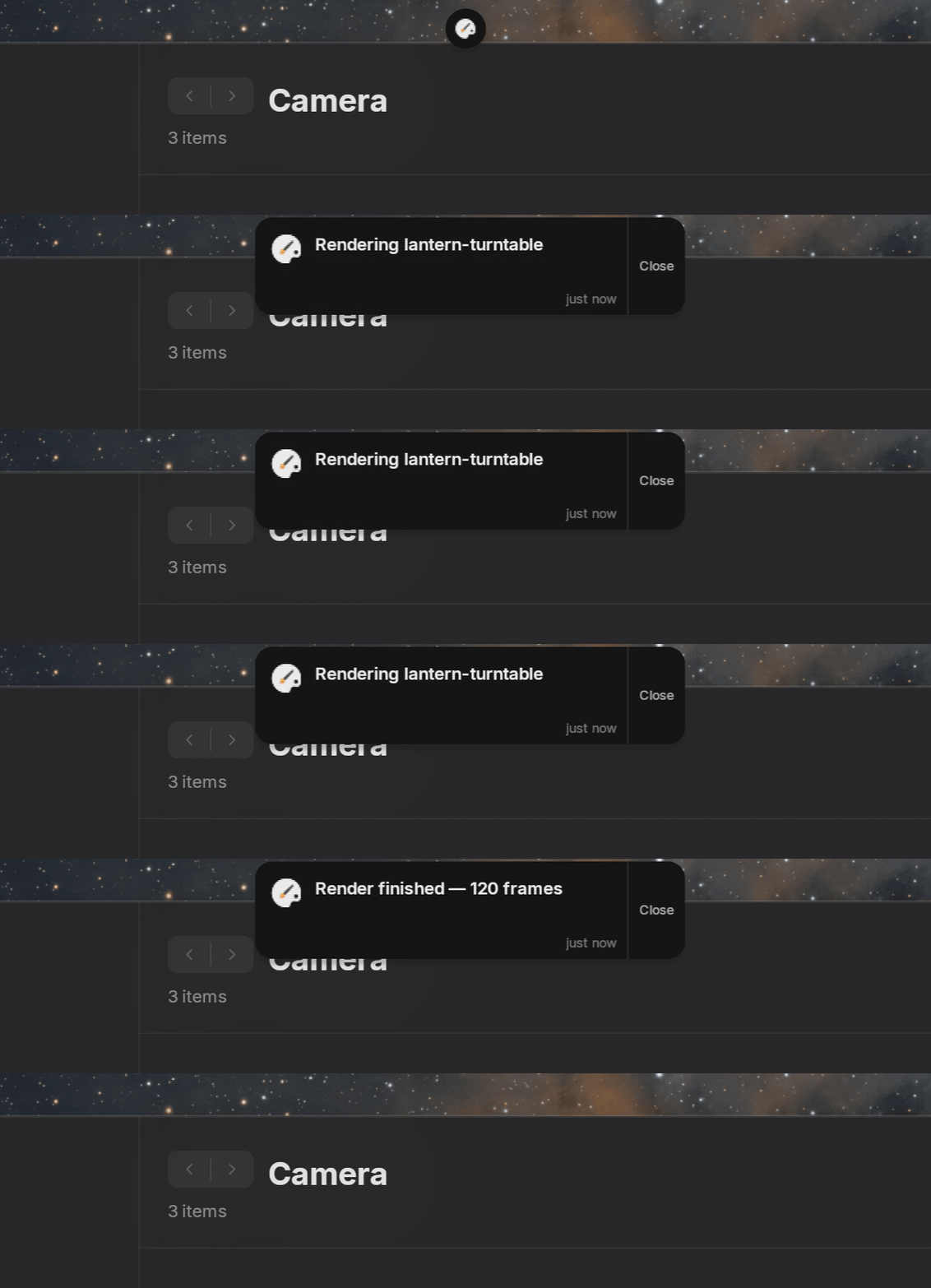
Beyond notifications, any program can push an activity into the island over D-Bus: a long-running thing with a title and an icon. A build, a file transfer, a backup.
The interface is org.otto.Island1 at /org/otto/Island:
# Create an activity; prints the activity id
gdbus call --session \
  --dest org.otto.Island \
  --object-path /org/otto/Island \
  --method org.otto.Island1.CreateActivity \
  "my-script" "Syncing photos" "folder-download" 0.0 0 "normal" true
| Argument | Meaning |
|---|---|
app_id | Who is sending it |
title | The text shown |
icon | An icon name from your theme |
progress | 0.0–1.0, negative for none. Accepted and reported to screen readers, but not yet drawn as a progress bar |
timeout_ms | Accepted, but does not currently dismiss the activity |
priority | "low", "normal", "high" or "critical" |
live | Accepted, but not yet used |
Then update or dismiss it by id:
gdbus call --session --dest org.otto.Island \
  --object-path /org/otto/Island \
  --method org.otto.Island1.UpdateActivity 1 "Syncing photos (40%)" 0.4

gdbus call --session --dest org.otto.Island \
  --object-path /org/otto/Island \
  --method org.otto.Island1.DismissActivity 1
UpdateActivity takes an empty title to leave the text unchanged, and a
negative progress to clear it. Dismissing is currently the only way an activity
goes away, so long-running scripts should call DismissActivity when they
finish.
An activity behaves like a notification from then on: it gets its own bubble in the row.
Permission dialogs
When an application asks to share your screen, the request can surface as an
interactive island panel: what is being requested, by whom, and a list of things
to pick from (which monitor to share, which AirPlay receiver to send to).
Enter accepts, Esc denies.
This is brokered by the portal and rendered by otto-islands over the
org.otto.Dialog1 interface, which mirrors the freedesktop
org.freedesktop.impl.portal.Access contract. See
Screen Sharing.
If otto-islands is not running, the portal falls back to another desktop’s
Access backend (GTK, GNOME or KDE, in that order) where one is installed. The
dialog still appears, just without Otto’s styling and per-option icons. With no
backend at all, the request is denied rather than left hanging.
Volume and brightness
Volume and screen brightness changes show a separate on-screen indicator
drawn by the compositor itself, not by the island. Pressing
XF86AudioRaiseVolume or XF86MonBrightnessUp adjusts the level, shows the
indicator, and (for volume) plays a feedback sound if
audio feedback is enabled.
Volume steps by 5% per press, brightness by 10%.
Visuals
The island is drawn with the otto-surface-style-unstable-v1 protocol rather
than as a flat picture: each bubble is its own subsurface whose size, position,
corner radius, blur, shadow and colour are animated by the compositor using
springs. That is why it morphs between shapes fluidly instead of cross-fading —
the geometry itself is animated, and the content is redrawn only when what it
says changes.
The row is centred, so a bubble growing pushes its neighbours both ways, and the push cascades outward island by island so the row ripples rather than moving in lockstep.
Troubleshooting
Nothing appears when I send a notification. Check that otto-islands owns
the bus name:
busctl --user status org.freedesktop.Notifications
If another daemon holds it, stop that one first and restart otto-islands.
The island overlaps my top bar, or sits in the wrong place. It anchors to the top-centre as an overlay layer surface and centres its row in a 36-point band. A custom panel taller than that will overlap it; the two heights are compiled in separately and cannot be configured.
Screen sharing is instantly denied. Either otto-islands or another
desktop’s portal Access backend has to be running to render the consent dialog.
Not yet supported
- A notification history or “do not disturb” mode
- Persisting notifications across restarts (the daemon advertises the
persistencecapability, but does not implement it) - Configuration file: position, sizes and timeouts are all compiled in
- Multi-monitor: the island shows on the primary monitor only
- Media player integration: nothing populates the island from MPRIS