← Otto User GuideCustomization
Otto’s appearance is set from the config file: colour scheme, accent, wallpaper, fonts, icon theme, corner radius, window control side, and dock position and tint. This page shows what each of those does, on six configurations.
For each setting on its own, see Theming, Dock and Window Management.
A dark scheme with squared corners
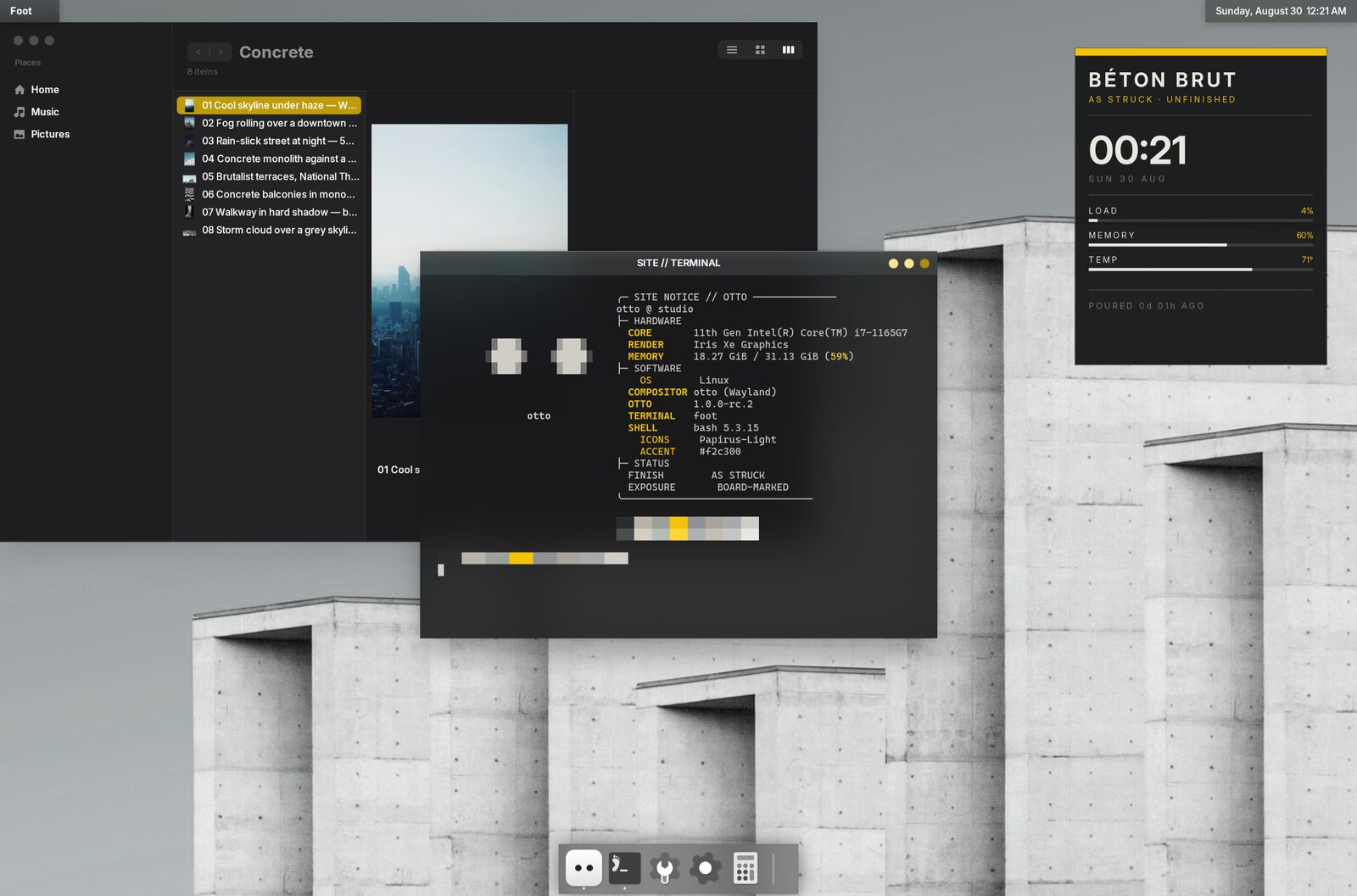
accent_color = "#f2c300"
rounded_corners = false
window_controls_side = "right"

[dock]
colorize_icons = true
colorize_color = "#ffffff"
colorize_intensity = 1.0
The dock icons are tinted white. The tint is luminance × colour, so white is exactly a greyscale conversion: it preserves each icon’s internal shading instead of flattening it to a silhouette.
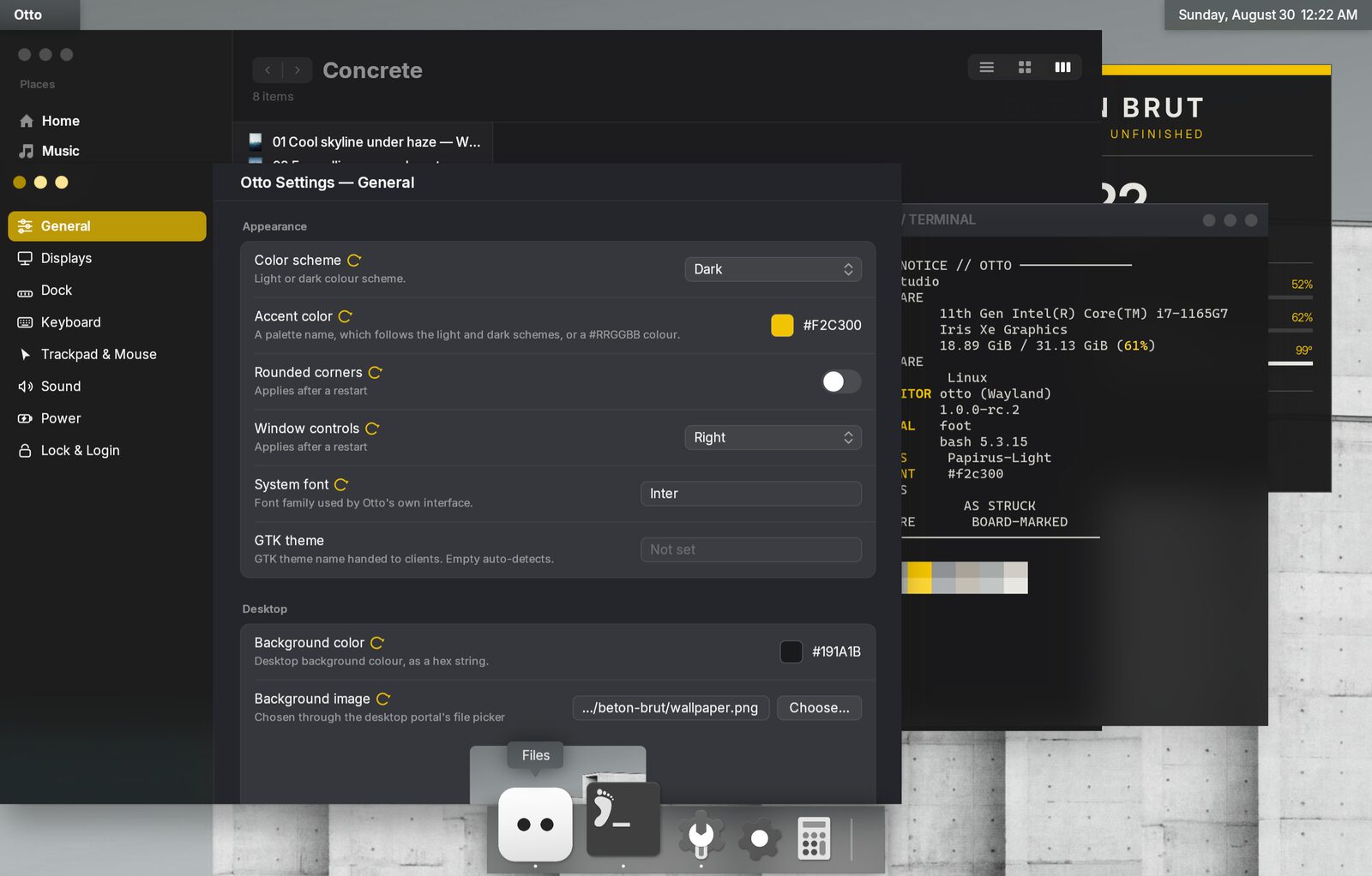
All of these are in Settings as well, and all of them apply as soon as you save them.
A dock down the side
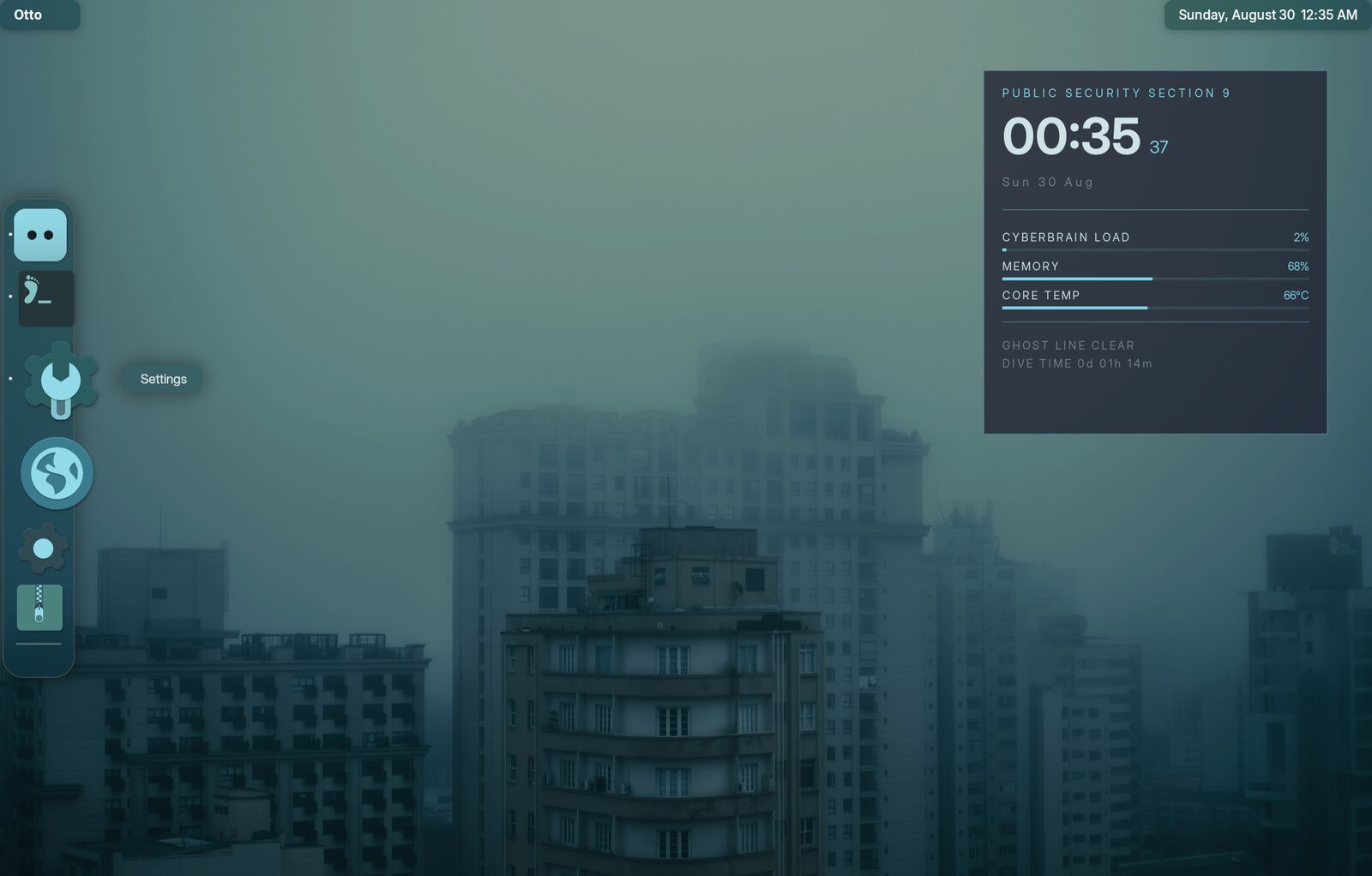
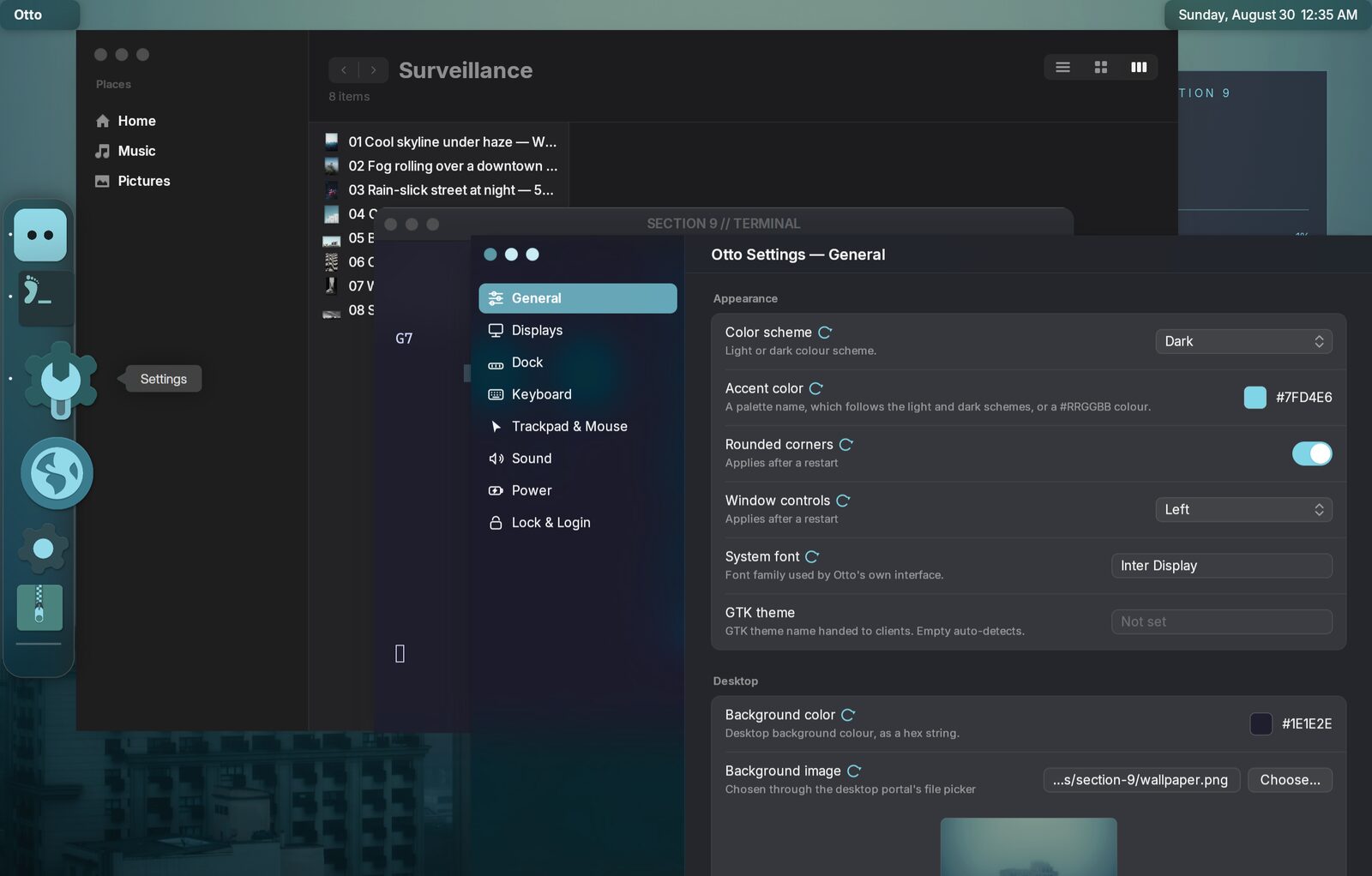
accent_color = "#7fd4e6"
window_controls_side = "left"
font_family = "Inter Display"

[dock]
position = "left"
colorize_color = "#7fd4e6"
colorize_intensity = 0.85
A side dock stacks its icons vertically, reserves screen width instead of height, magnifies along the pointer’s vertical travel, and minimizes windows sideways into itself.
The compositor’s own surfaces
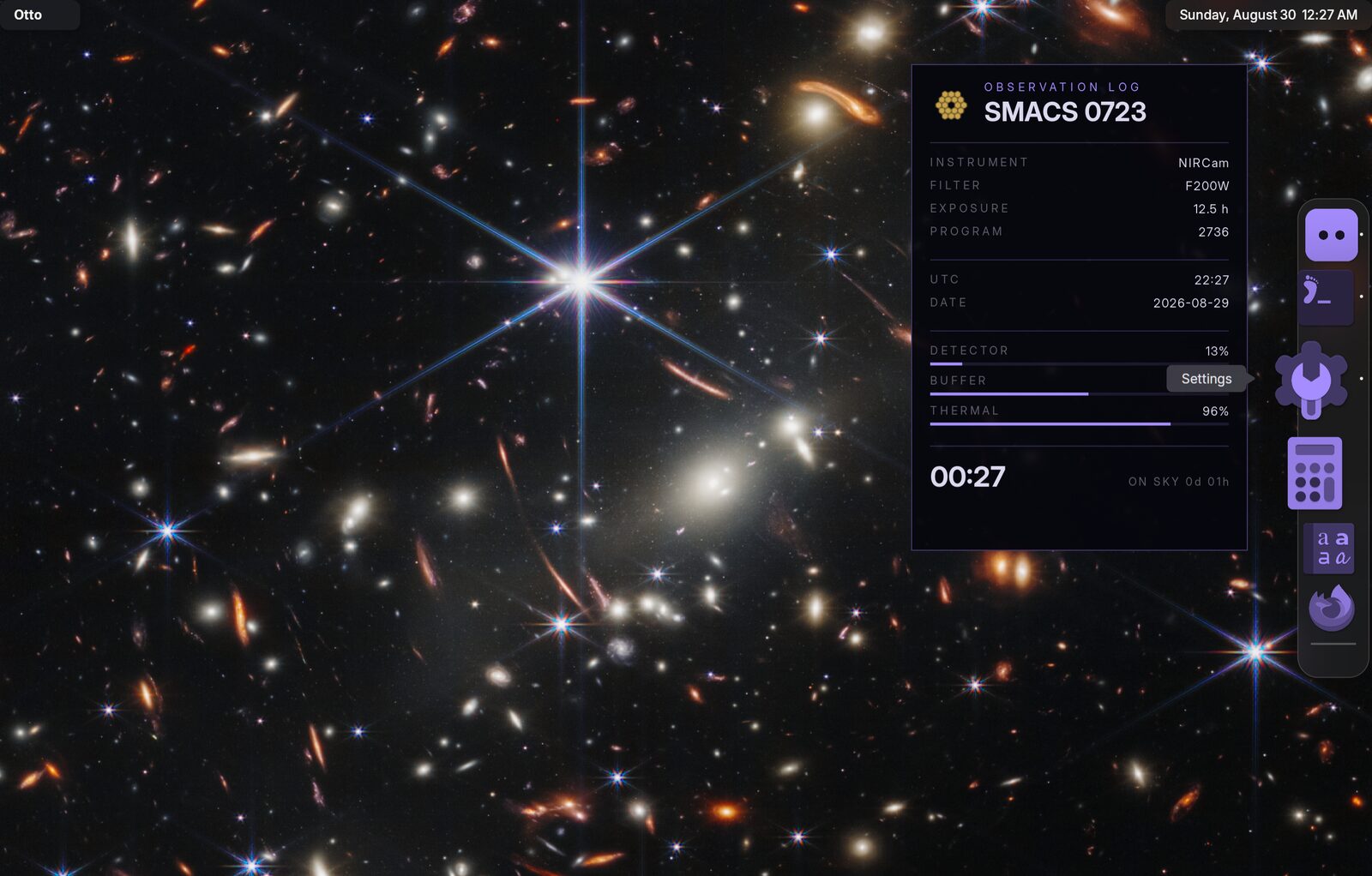
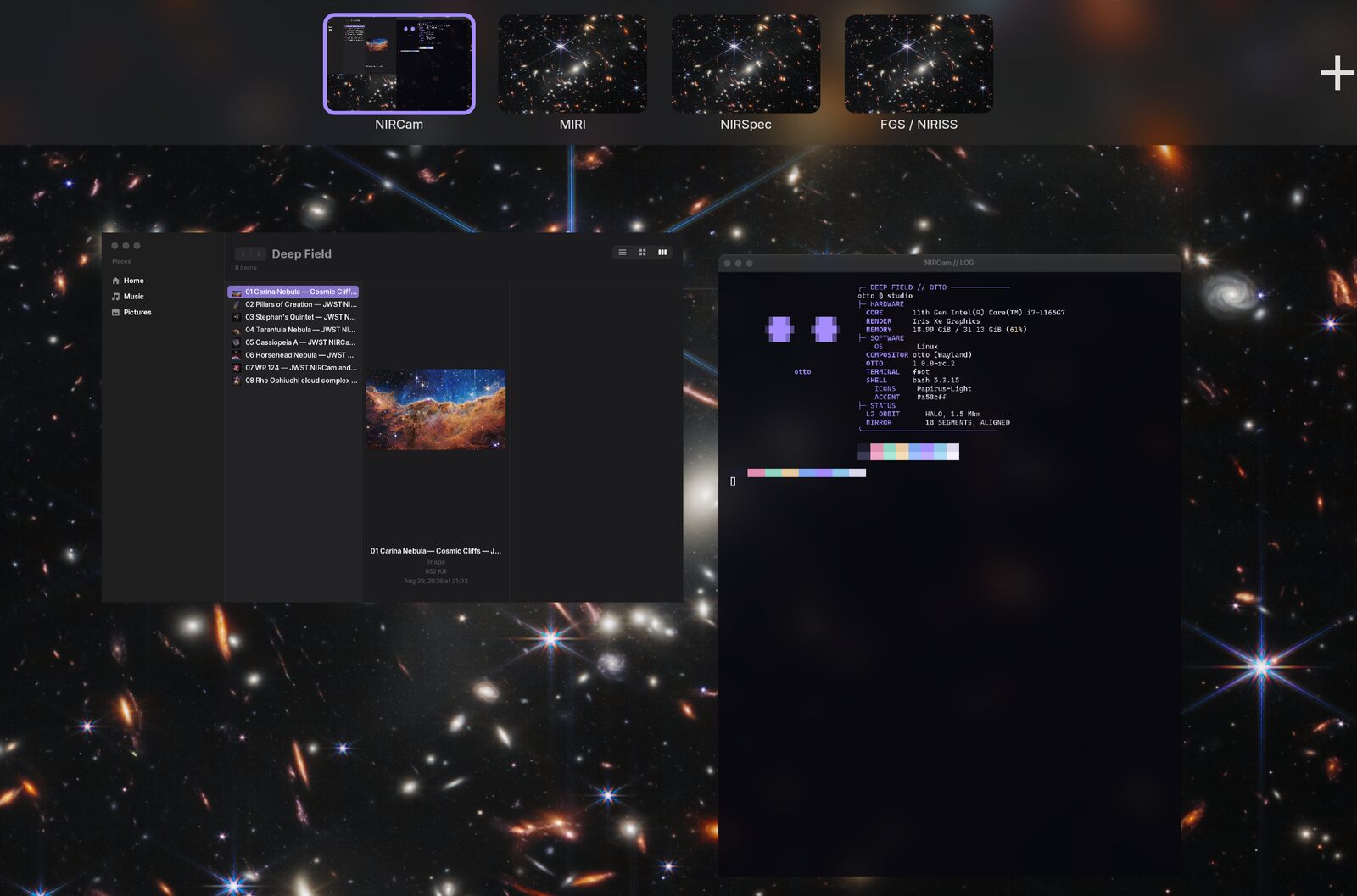
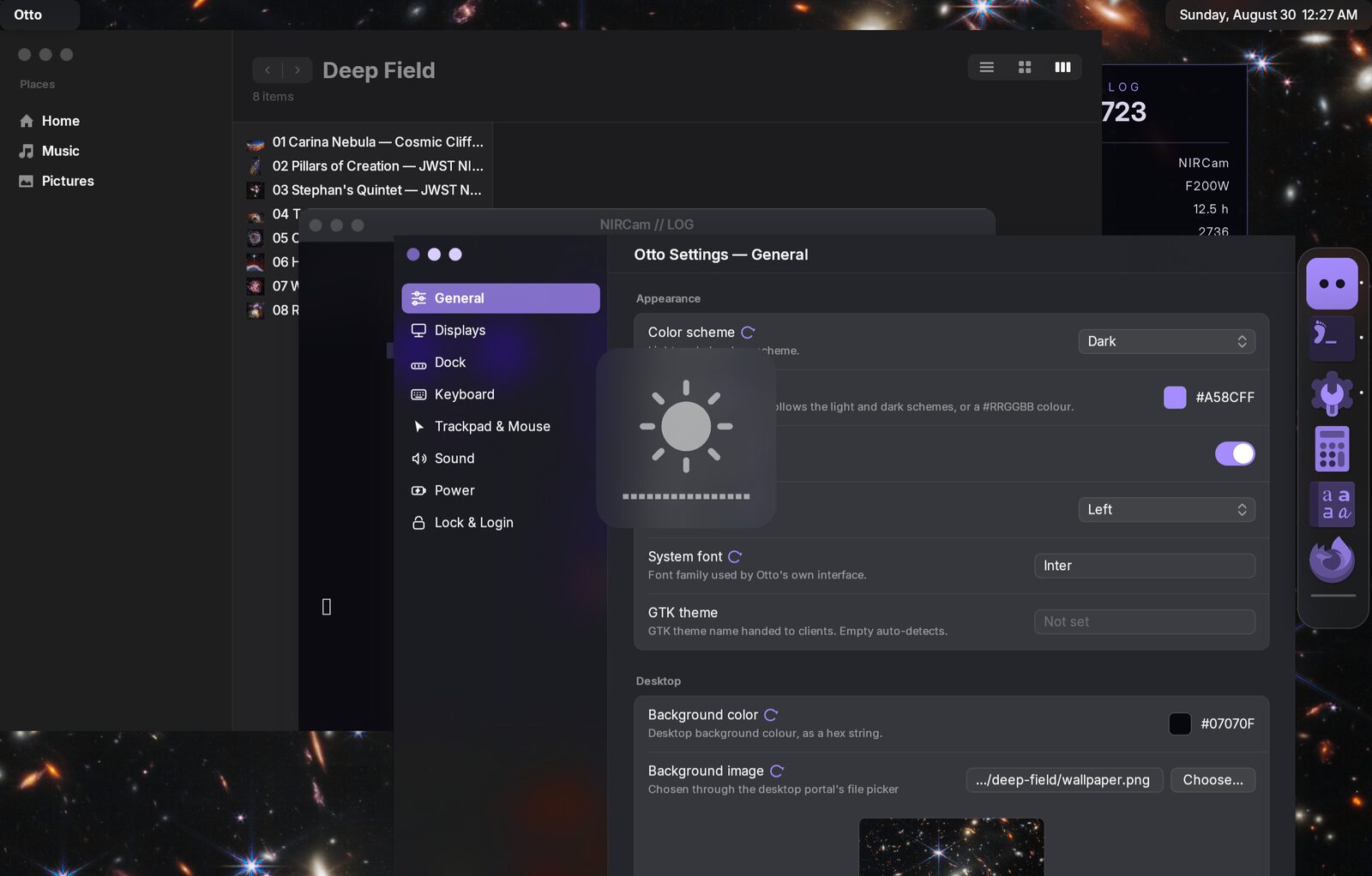
accent_color and theme_scheme apply to the compositor’s own surfaces as
well: exposé, the workspace strip, the app switcher, and the brightness and
volume indicators.
Desktop widgets and the app switcher
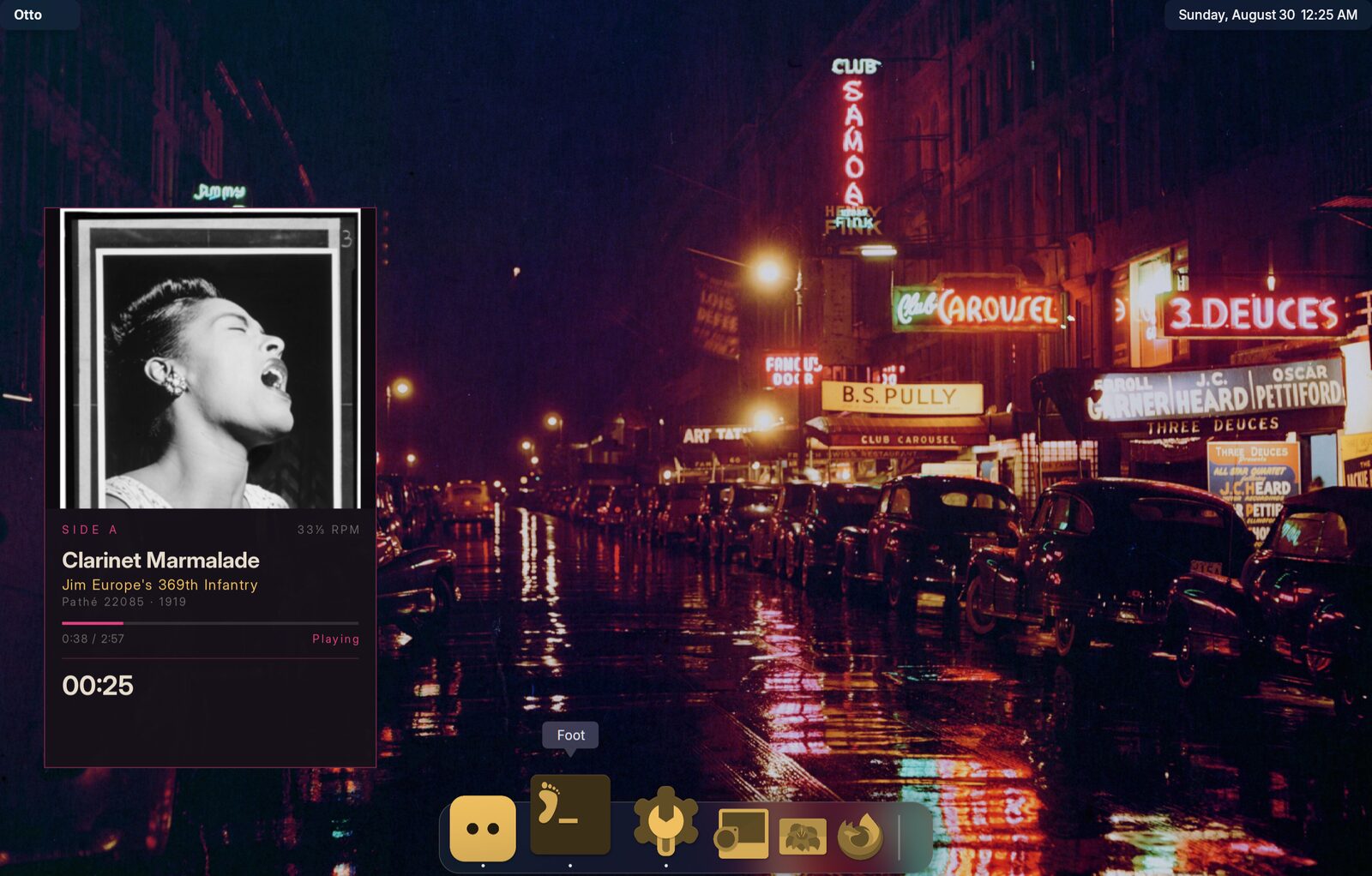
The panel on the left is an eww widget on the desktop
layer: a wlr-layer-shell client, not an Otto feature.
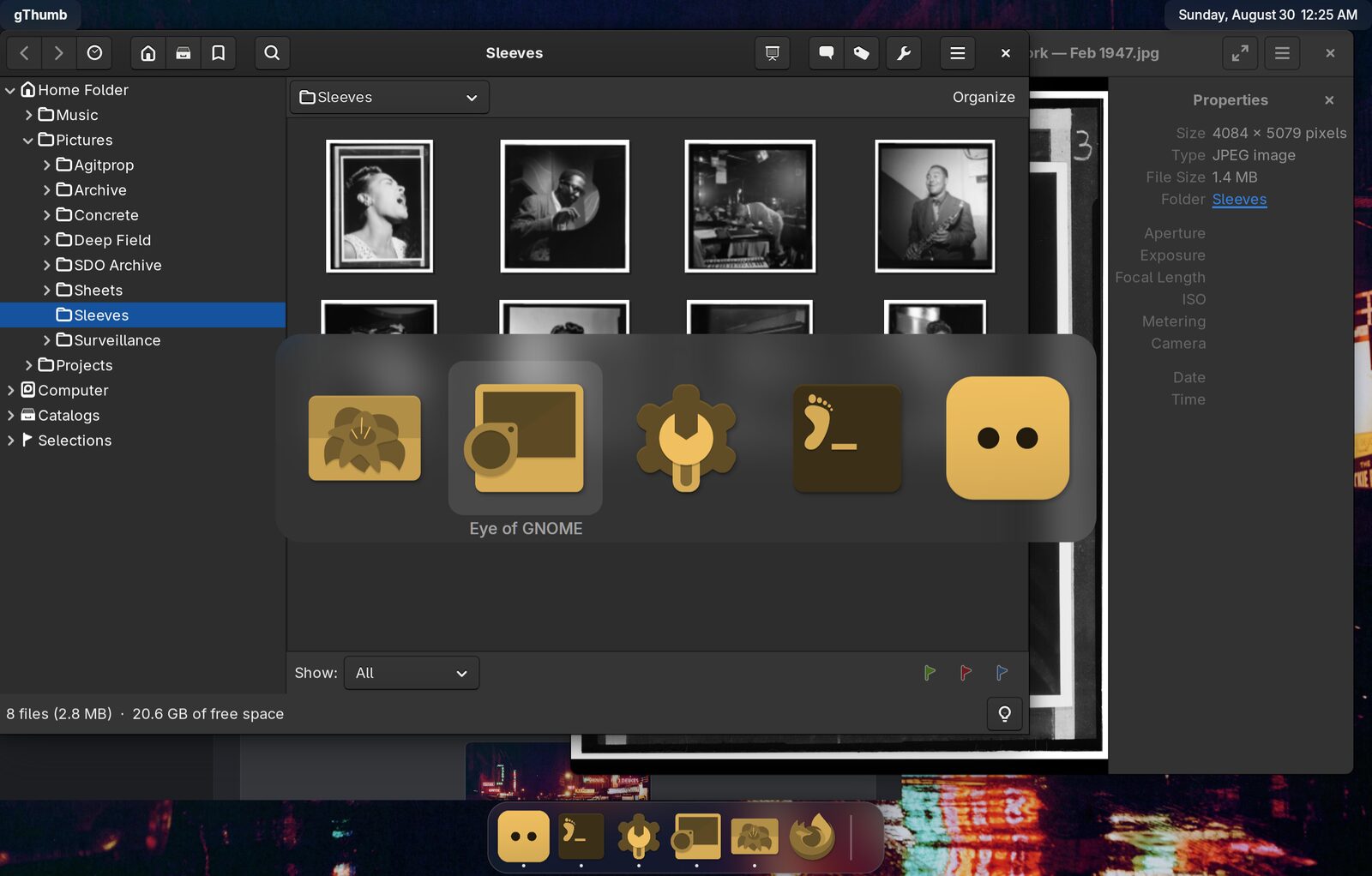
The app switcher draws the same tinted icons as the dock, so a colourised dock
does not leave the switcher looking like a different desktop. The colour and
strength always come from [dock]: one desktop, one icon tint.
appswitcher.colorize_icons = false opts the switcher out.
A saturated tint
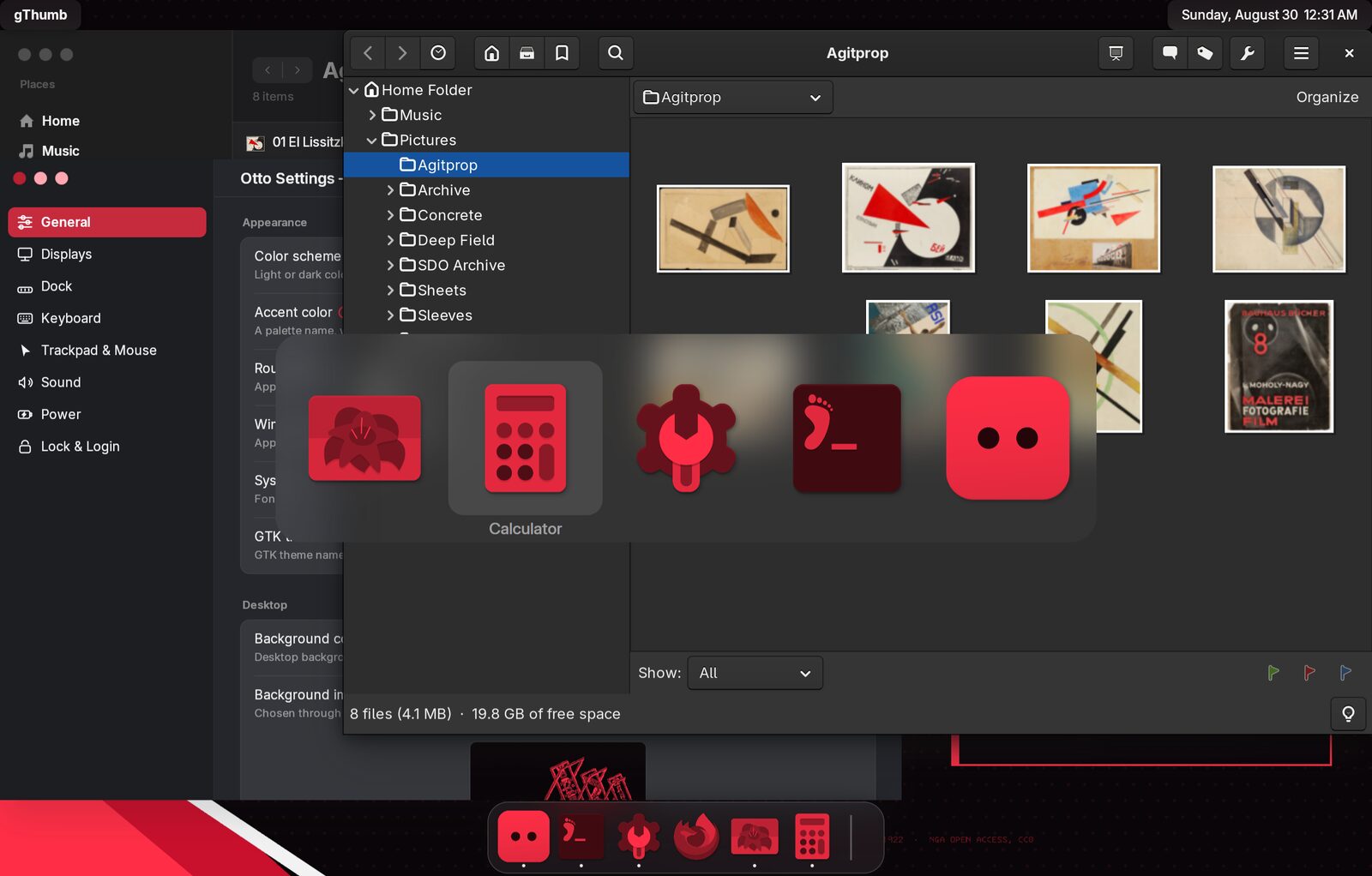
A saturated colorize_color sets a ceiling on each icon’s luminance, so it
needs light source icons. Applied to icons that are already dark it flattens
them to silhouettes.
A light scheme
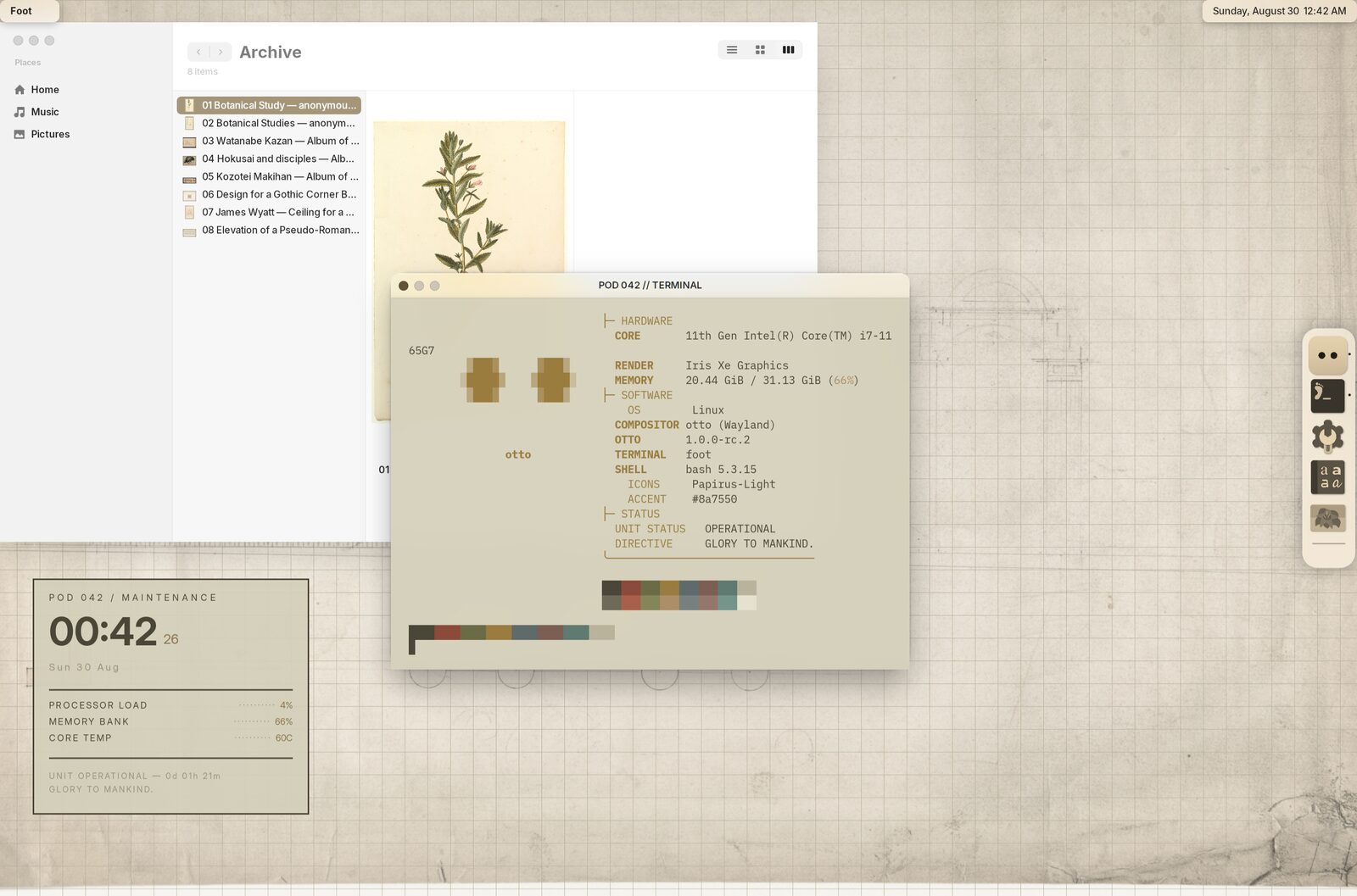
This uses the named brown accent rather than a hex literal, so it resolves to
the light or dark palette’s shade as the scheme changes.
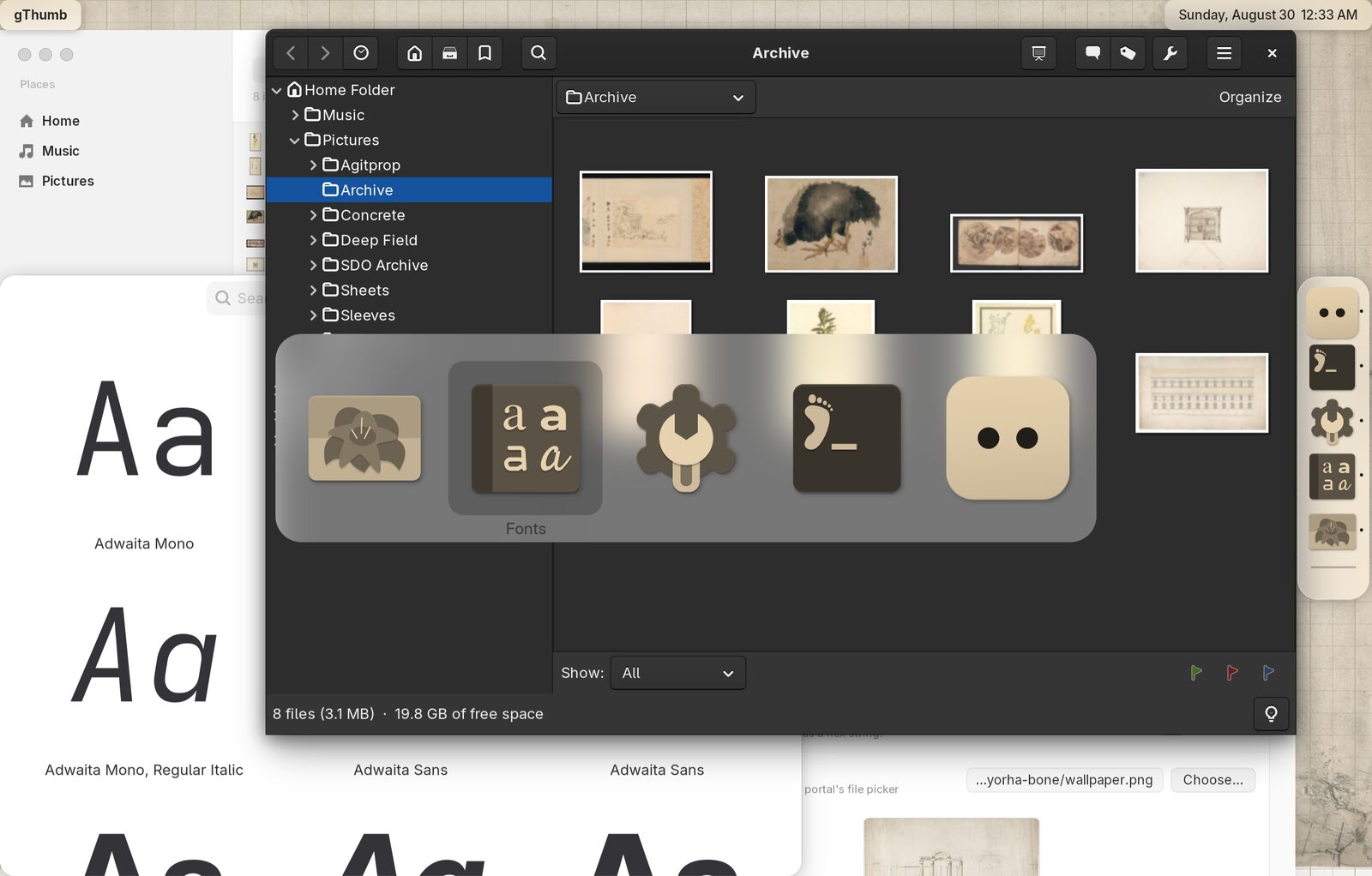
The tint source is Papirus-Light here, even though the result is darker than
the icons started. The filter maps each icon to its luminance re-coloured in
colorize_color, then blends back toward the original by colorize_intensity,
so what a light tint has to work with is the source icon’s luminance.
What changes the look
| Setting | Where | Effect |
|---|---|---|
background_image, background_color, background_mode, background_position_x, background_position_y, background_zoom, [background_outputs] | Theming | The wallpaper, how it fills each display, and what shows around it or if it fails to load |
theme_scheme | Theming | Light or dark, for Otto’s chrome and for GTK/Qt apps through the portal |
accent_color | Theming | Selection, highlights and controls. A palette name or a hex literal |
font_family | Theming | Otto’s own interface type. Needs a restart |
icon_theme | Theming | The source icons, before any tint |
rounded_corners | Theming | Rounded or squared window corners |
frosting | Theming | Blurred translucent chrome, or the same surfaces nearly opaque |
window_controls_side | Window Management | Close/minimize/maximize on the left or right |
dock.position | Dock | Bottom, left or right |
dock.size, dock.magnification | Dock | How big, and whether icons grow under the pointer |
dock.colorize_* | Dock | Tints every dock and switcher icon to one colour |
workspaces.names | Workspaces | What the workspace strip is labelled with |
workspaces.switch_duration, workspaces.switch_bounce | Workspaces | How fast, and how springy, the scroll between workspaces is |
Almost everything here applies live: the wallpaper, the accent colour, the
colour scheme, corners, frosting, the controls side, the icon and cursor themes
and every dock.* setting all change what is on screen as you save them. Only
the interface font and the interface scale need a restart — the font is baked
into caches shared with the client toolkits, and the scale reaches every output
and every maximized window. The settings app puts a badge beside those two and
nothing else.
What Otto does not draw
Otto draws the dock, the top bar chrome, exposé and server-side window frames. Terminals, editors and status panels are separate clients and are themed on their own:
- Terminal. foot reads a palette from
foot.ini. Otto implementsext-background-effect-v1, soblur=yesnext to analphagets the blur from the compositor. - Panels and widgets. eww and anything
else speaking
wlr-layer-shellsit on the desktop layer, behind windows and above the wallpaper. See Desktop Widgets. - GTK applications. These follow
theme_schemeand the accent through the XDG Settings portal automatically.gtk_themein Otto’s config is recorded but not applied; set your GTK theme the usual way.